Introduction
BYD comes with a large infotainment screen and surround-view cameras, but its safety features are locked away. Overdrive+ unlocks that hidden potential, letting your car record surveillance footage while parked and get real-time alerts on important status — adding peace of mind to every journey
Open Source & Further Development
Overdrive+ is built on top of the open-source project Overdrive-release, with additional system improvements
Warning and Terms of Use (Disclaimer)
- Disclaimer: This software is provided for educational purposes only. The developer will not be held responsible for any damage to devices or data resulting from installation and use, in any case
- Risk Acceptance: Users must accept any risks that may arise on their own
Usage Limitations
Recording Mode / LVDA — surround-view camera performance may degrade due to:
- Dust, mud, or dirt on the lens
- Driving in the rain
- Water droplets or fog on the lens
Why Overdrive+
- Capture every moment — Automatic day/night Recording, plus Surveillance to watch your car while parked
- Watch live from anywhere — Live View via WiFi/Zrok, with instant Telegram notifications
- Know every trip — Records and summarizes Trip data for each journey
- Safer than ever — with notification systems
Speed Warningalerts when driving over the speed limitLVDAalerts when the car ahead starts moving
- Display values and information — essential for driving, such as
- Tyre pressure and temperature inside the tyre
- PM2.5 value and temperature inside and outside the vehicle
- Battery peace of mind — Low SOC alerts and
battery temperatureHV Temp warnings before problems occur - Easier charging plans — EV Map helps you find charging stations
Features (Overdrive-release)
Recording
Automatically records video while driving, both day and night
Daytime sample videoNighttime sample video
Surveillance recording
Records footage when events occur, to watch over your car while parked
Sample video: surveillance while parked
Trip
Records and summarizes the data of each trip


Live view (WiFi/Zrok)
View your car's surround-view cameras in real time on your phone from anywhere

Sample: real-time live view from the car camera
Telegram notify
- Receive important car status notifications via Telegram
RoadSense
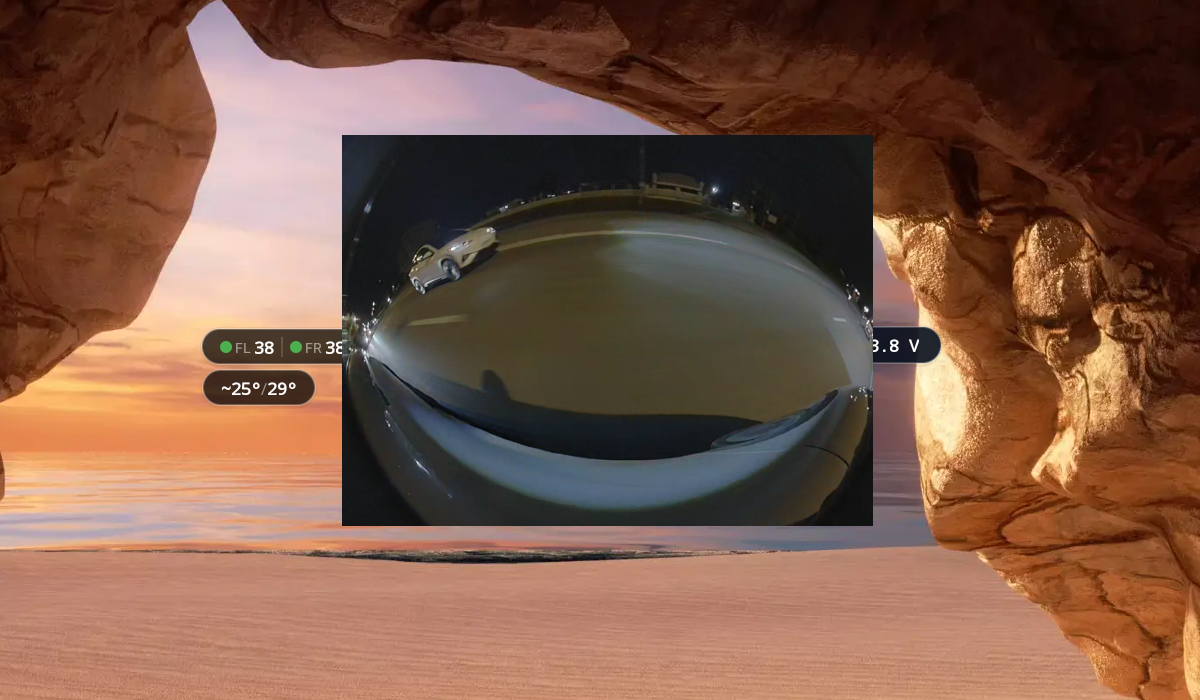
Blind Spot: displays camera footage from the left or right side mirror when the left or right turn signal is activated.
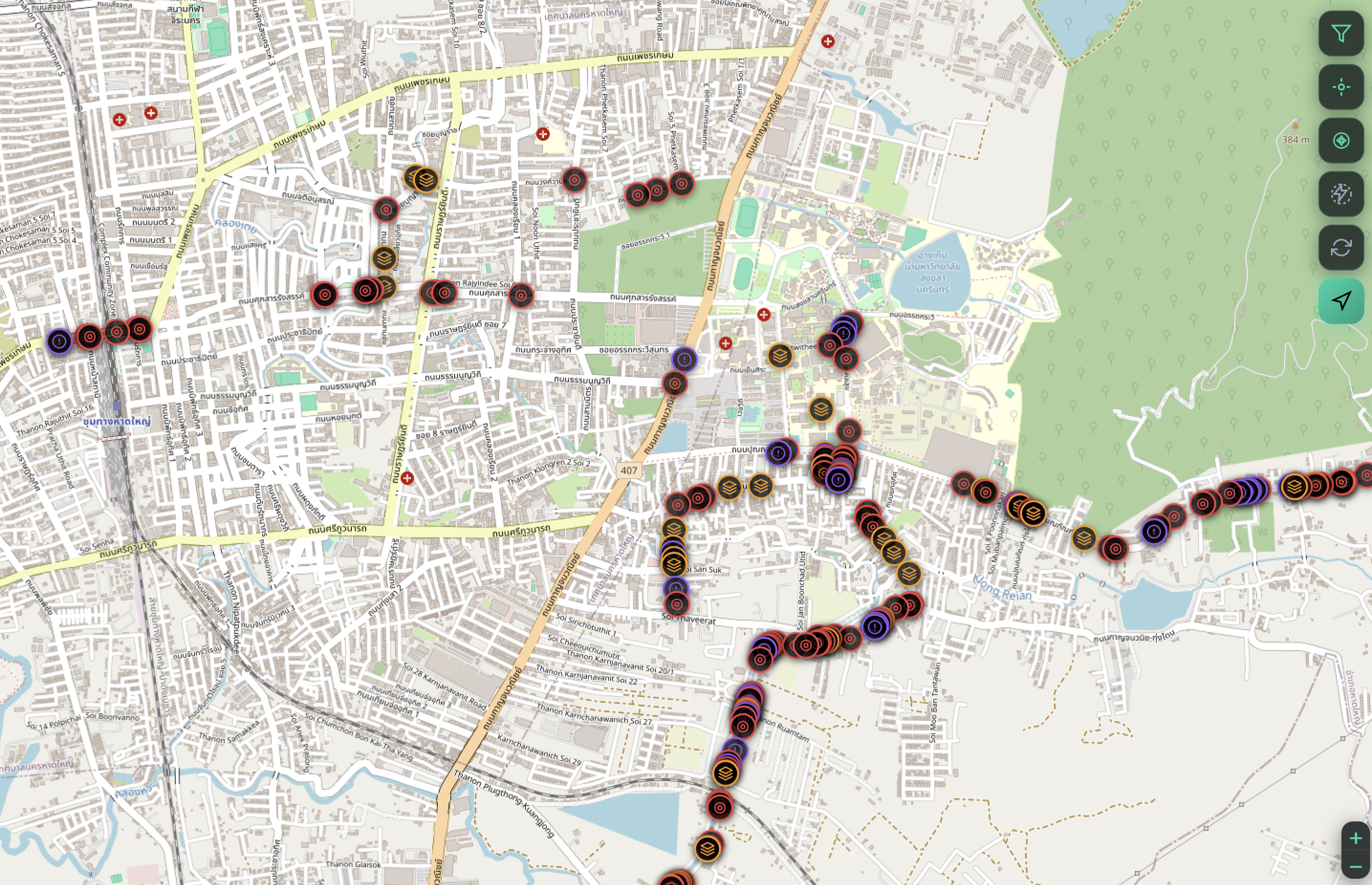
Hazard map: displays information about road surface conditions, such as speed bumps, potholes, and rumble strips.
New Features (Overdrive+)
Unified Monitor
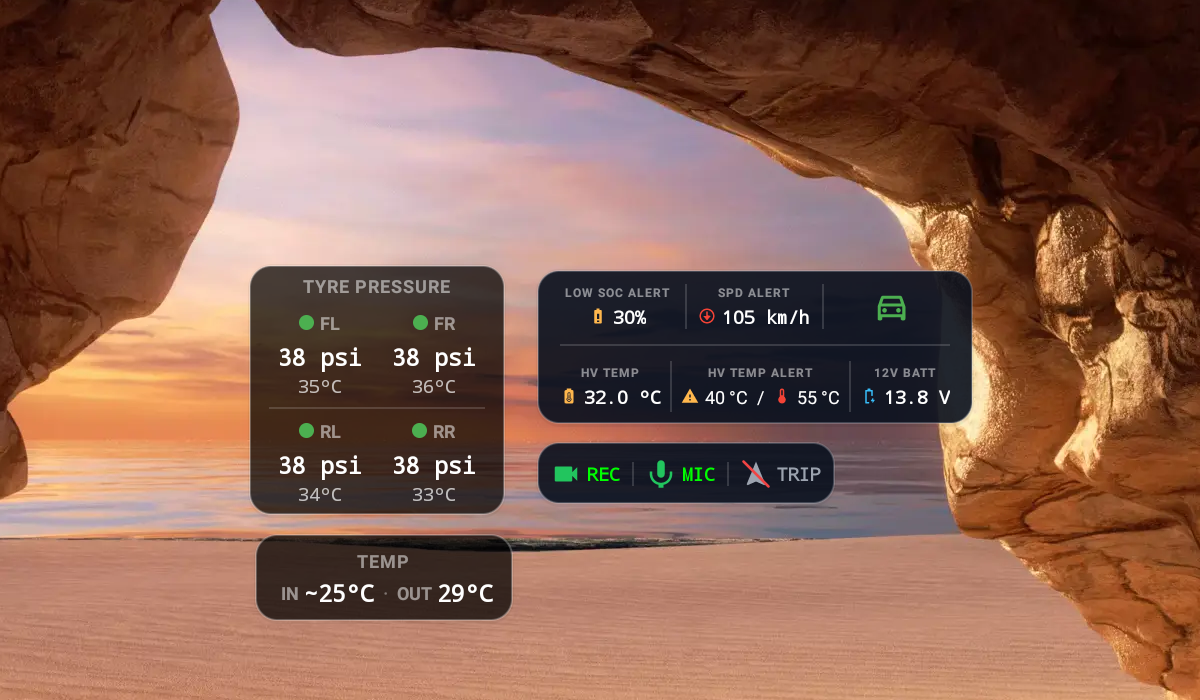
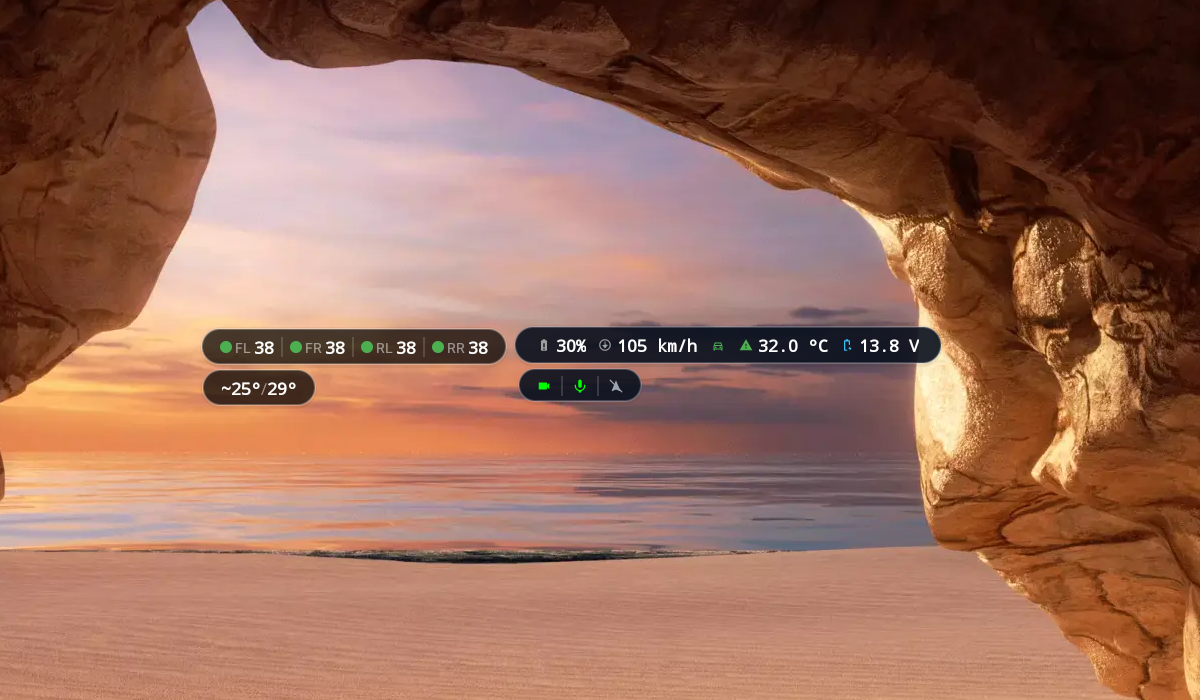
Tyre pressureDisplay tire pressure and internal tire temperaturePM2.5/In-Out TEMPDisplay PM2.5 and interior/exterior vehicle temperature valuesLOW SOC ALERTalerts(Visual/Sound)when the battery level (SOC) drops below the set thresholdSPD ALERTalerts(Visual/Sound)when driving over the set speed limitLVDAalerts(Visual/Sound)when the car ahead starts movingHV TEMPdisplays the temperature of thehigh-voltage (HV)batteryHV TEMP ALERTalerts(Visual/Sound)when the high-voltage battery temperature is abnormal12V BATTdisplays the12V.battery voltage
EV Map
EV MAPshows a map of EV charging stations; station data comes from charging sessions of BYD cars runningOverdrive+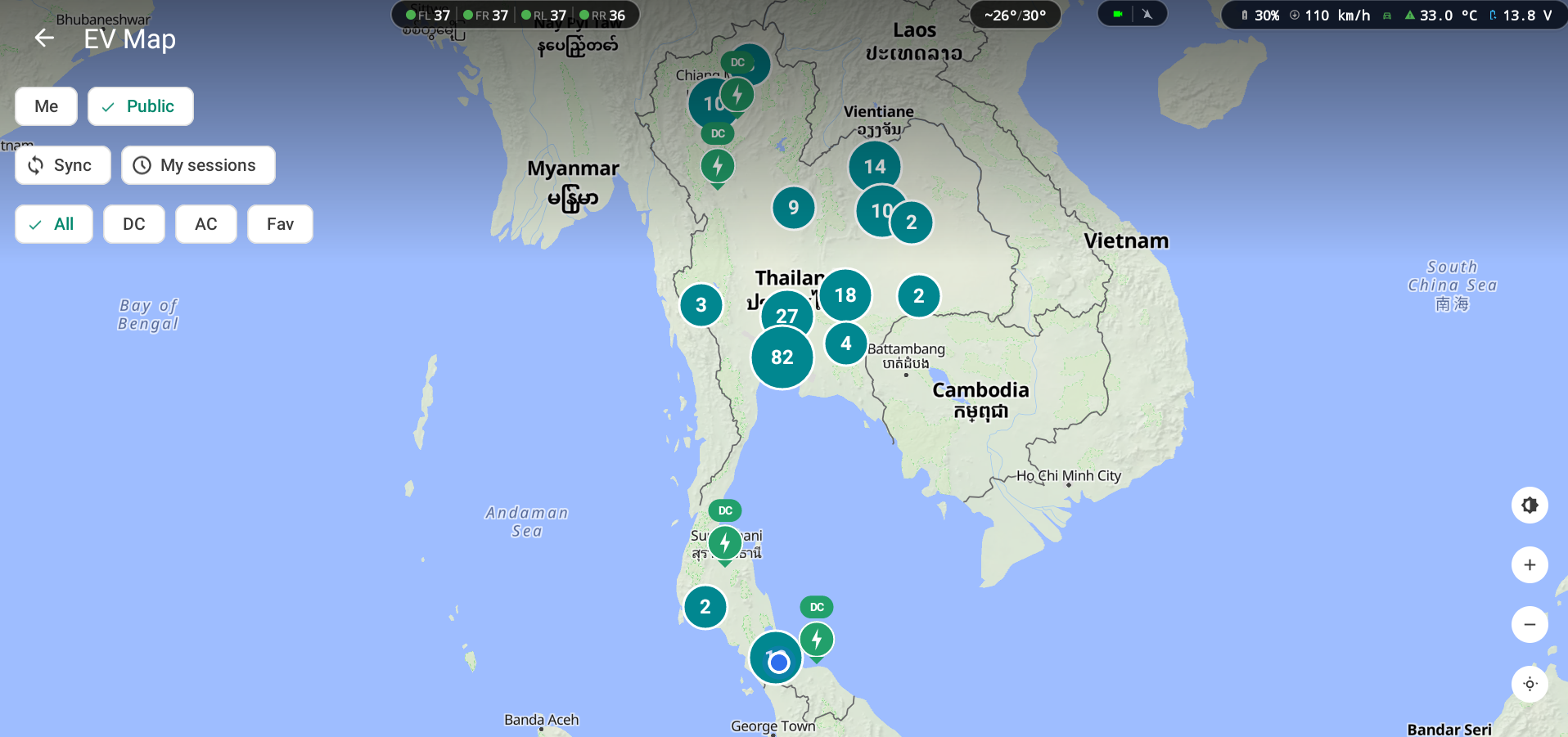
Tap a pin to view charging station details

BYD Model
Model: Dolphin, Atto 3, Sealion 6, Seal
BYD Firmware
Before installation and use
You must unlock and enable ADB on the firmware you're using, e.g. 2412 2503
Advice for new Firmware versions
Firmware 2602, 2606 may have issues when using Overdrive+
This is because newer Firmware restricts adb usage and strengthens system security
- Version:
2412,2503,2507,2602,2606
Getting Started
We recommend starting with the installation first, then configuring the features you're interested in
- Installation — Enable ADB, Download/Install APK, initial setup before use
- Registration —
Free registrationto try the new features - Login — Configure and use the app via
phone, tablet, computerover aWiFiconnection - Main feature settings — Live view, Trip, Performance, Recording, Surveillance, Check for Updates
- New feature settings — Unified Monitor, LOW SOC ALERT, SPD ALERT, LVDA, HV TEMP ALERT, EV Map
- Advanced settings — View Live view / configure via phone using
Zrok - Advanced settings — Notifications via
Telegram Bot - Update version — How to check / update the app version